Transfer eSIM From iPhone to Android: What to Know
Move an eSIM from iPhone to Android with a supported carrier. Apple and Samsung describe the steps, requirements and fallbacks. Read on 28 Nov 2026.
Short answer
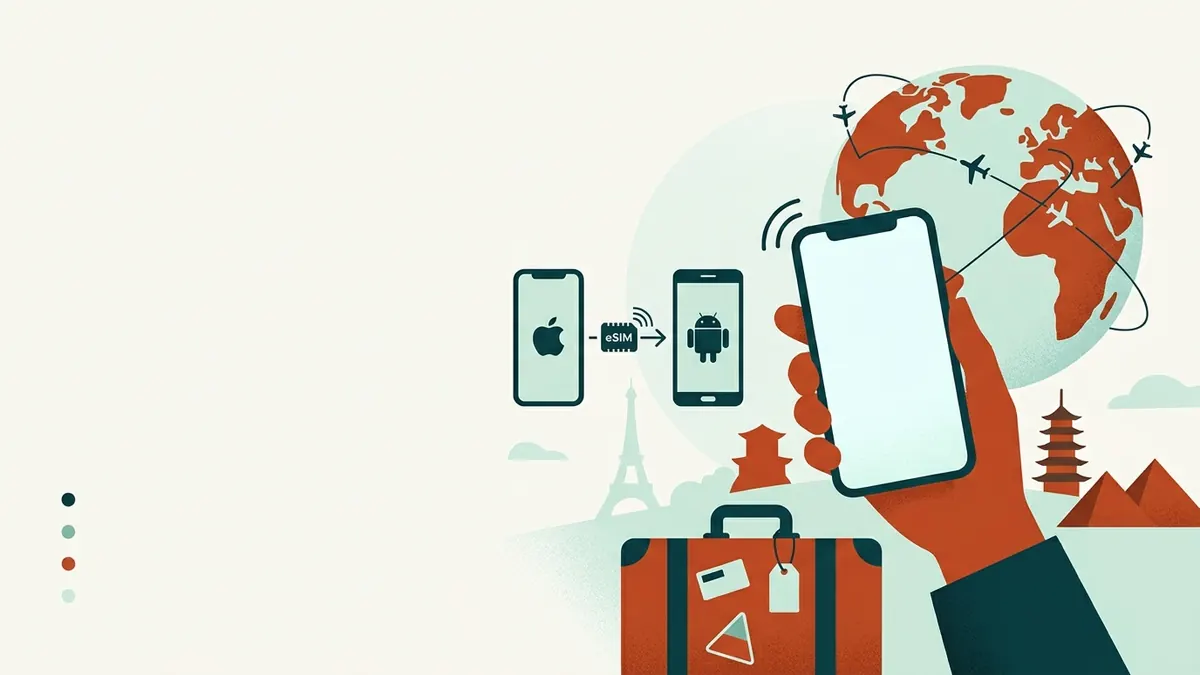
You can move an eSIM from iPhone to Android if your carrier supports it. On the iPhone go to Settings, Cellular, Transfer to Android, then scan the Android phone's QR code. Both phones need current software, plus Wi-Fi and Bluetooth turned on.
Moving from iPhone to Android used to mean a carrier call or a store visit. Apple and some Android makers now document a direct transfer for supported carriers. This guide covers the requirements, the steps and the fallbacks. The details come from Apple and Samsung support pages, read on 28 Nov 2026, so check them for your own carrier before you start.
What do you need?
Apple's page lists these requirements.
- Update both devices to the latest software. The page refers to iOS 26.3 or iPadOS 26.3 for this feature.
- Connect the iPhone or iPad to Wi-Fi and turn on Bluetooth on both devices.
- The Android device needs a compatible Android version. Apple's page names Android 17 and says to check with the manufacturer.
- The eSIM must be on a supported carrier. Apple lists AT&T, FirstNet, T-Mobile and Verizon in the USA, and KDDI in Japan, DT-DE in Germany, SFR in France and EE in the UK. Carrier lists change, so read Apple's page for your country.
How do you transfer from the iPhone?
Apple's steps to transfer only the eSIM are these.
- On the Android device, go to Settings and start the eSIM setup.
- On the iPhone or iPad, go to Settings, Cellular.
- Under Transfer to Android, tap Transfer eSIM.
- Place the devices next to each other and tap Continue on the iPhone.
- Scan the QR code on the Android device with the iPhone's Camera app.
- Select the phone number to transfer.
- After the transfer, tap Continue.
- Double-click the side button on the iPhone to confirm.
The number stops working on the iPhone once the transfer is complete.
What does Samsung say?
Samsung's Galaxy page describes the Galaxy side of the same move. On the new Galaxy, go to Settings, Connections, SIM manager, Add eSIM, and tap Transfer SIM from iPhone. Scan the QR code shown on the new device with the iPhone. If scanning fails, enter a passcode instead. Then select a number on the iPhone and confirm the transfer. Samsung says both devices need up-to-date software, and both must be connected to Wi-Fi and Bluetooth, and that the new device must be unlocked for a transfer.
Google has a separate help page for moving an eSIM from an iPhone to a Pixel. We could not read the iPhone tab of that page, so check Google's Pixel Help for those steps.
What if the QR code will not scan?
Apple gives a manual route. On the iPhone, tap Other Options, then enter the session ID and pairing code shown on the Android device. The Android screen may vary by maker, so use the on-screen prompt rather than a fixed menu path.
What if your carrier is not supported?
| Situation | What to do |
|---|---|
| Carrier is on Apple's list | Use the transfer steps above |
| Carrier is not on the list | Ask the carrier to activate the eSIM on the Android phone |
| Transfer fails | Retry, then contact the carrier |
| Travel eSIM from a provider | Ask the provider for a new code for the Android phone |
Apple says the transfer requires a supported carrier and that availability varies by carrier. The page does not describe other routes for unsupported carriers, so the carrier or provider is your next step.
What does the Samsung route look like in practice?
Samsung's page says you open the SIM manager on the new Galaxy, choose the iPhone option, and then use the iPhone camera to scan a QR code shown on the new device. If scanning fails, you can enter a passcode instead. You then pick the number on the iPhone and confirm. Keep both phones side by side, since both must be connected to Wi-Fi and Bluetooth. The page does not say how long it takes, so allow a few minutes with nothing else running.
What should you do before you switch?
- Update both devices.
- Check your carrier on Apple's list.
- Charge both phones and find Wi-Fi.
- Keep the iPhone until the Android phone has service.
- Do not erase the iPhone eSIM first. Apple's erase page says that erasing means you need a new eSIM from the carrier, and erasing does not cancel the plan.
If your travel plan is a data plan from a provider that is not a carrier, a new QR code on the Android phone is often easier. Check with the provider first, since policies differ.
How does this fit a trip?
If you switch phones close to a trip, move the home plan first, then install the travel plan on the Android phone. This avoids moving a plan twice. After the switch, set the data line on Android under the SIM settings, and turn off data roaming on the line you do not use for data. Country pages, such as /thailand/, list travel plans and facts we track, with the date each price was checked.
Why does the carrier matter so much?
An eSIM profile belongs to your carrier's account for you, so the carrier has to approve a move. Apple's page ties the feature to supported carriers and says availability varies, which is why a phone that supports the feature can still fail the transfer. If your carrier is not listed, the safest step is a call or chat with the carrier before you buy the Android phone, so you know whether to plan for a transfer or a fresh code. Ask in the same call how the old line will behave, and whether any fee applies, since we do not list fees.
What about a tablet or watch?
Apple's page covers an iPhone or iPad with a cellular plan. Watches have separate setup flows, and we did not read them. If you have a cellular watch tied to the same number, check its maker's page before you move the phone line, since pairing may need to be redone.
Related guides
See how to transfer eSIM from Android to iPhone for the other direction, and transfer eSIM to a new Android phone for Android to Android. For setup on Android, read eSIM on Android. The phone checker can help you confirm support.
Short checklist
- Both devices updated, Wi-Fi and Bluetooth on.
- Carrier on Apple's list.
- Start eSIM setup on the Android phone.
- Settings, Cellular, Transfer to Android on the iPhone.
- Scan the QR code and select the number.
- Test a call before you reset the iPhone.
Read from Apple Support and Samsung Support on 28 Nov 2026.
Frequently asked questions
Can every iPhone eSIM move to Android?
No. Apple says the eSIM must be on a supported carrier, and lists carriers by country. If yours is not listed, the transfer may not be available. Ask your carrier to activate the eSIM on the Android phone.
What software does the iPhone need?
Apple's page refers to iOS 26.3 or iPadOS 26.3 for this feature, and says to update both devices to the latest software. The Android phone needs a compatible Android version, so confirm with its maker.
Does the iPhone number stop working after the transfer?
Apple says the number stops working on the iPhone or iPad once the transfer is complete. Check that the Android phone has service before you reset or sell the iPhone.
What if the QR code will not scan?
Apple says to tap Other Options on the iPhone or iPad, then enter the session ID and pairing code shown on the Android device. If that fails, contact your carrier.
Sources
- Transfer an eSIM and data from your iPhone or iPad to an Android device, Apple Support (2026)
- Galaxy eSIM and supported mobile carriers, Samsung Support (2026)
- Transfer an eSIM to a Pixel phone, Google Pixel Help (2026)
Keep reading

eSIM Card Explained: Is There a Physical eSIM Card?
An eSIM card usually means a QR code or activation page, not a real card.

eSIM Data Roaming: When to Turn It On and Off
A travel eSIM sometimes needs data roaming on, while your home line should keep it off.
eSIM Dual SIM: Keep Your Home Number and Add Travel Data
Dual SIM lets one phone hold your home line and a travel eSIM.

Best eSIM for International Travel: What to Compare
No single eSIM suits every route.

Best eSIM: How to Pick One for Your Own Trip
The best eSIM depends on your route, phone and habits.

eSIM for Cruises: Ship Networks, Roaming and Wi-Fi
A travel eSIM covers land ports, but ship cellular service is billed as roaming.