eSIM Card Explained: Is There a Physical eSIM Card?
An eSIM card usually means a QR code or activation page, not a real card. Learn what you receive, how to install it, and when a physical card is involved.

Short answer
An eSIM has no card to hold. People say eSIM card because the plan used to arrive on a plastic card, but today you get a QR code, link or app prompt. Your phone installs the plan from that code and no tray is needed.
Search results for "eSIM card" mix up three different things: the digital plan, a printed card with a QR code, and a physical card that converts a SIM to behave like an eSIM. This page separates them so you know what you are buying.
What do people mean by eSIM card?
Most of the time they mean the eSIM plan itself. Apple describes an eSIM as a digital SIM that lets you use a carrier plan without a physical nano-SIM. There is nothing to hold. What you receive is a set of activation details, usually a QR code.
Some sellers print that QR code on a plastic or paper card. That is packaging. The code on it still installs a profile into the eSIM chip already in your phone. Treat the card like a password: once the code is scanned, it is typically used up.
What do you receive when you buy?
| You receive | What it is | What you do |
|---|---|---|
| QR code on screen or in email | Activation code | Scan it from another screen, or use the install link |
| Manual details | Address and code to type | Settings, Cellular, Add Cellular Plan, Enter Details Manually on iPhone |
| Carrier app prompt | Plan sent inside an app | Open the app and follow its steps |
| Printed card | QR code on paper | Scan it with the Camera or the setup screen |
Apple adds that on iOS 17.4 or later, if a code arrives in an email or browser, you can tap and hold it, then tap Add eSIM. Samsung lists simple setup, a QR code and an activation code under Add eSIM in SIM manager.
How do you install it?
- Check your phone supports eSIM, using the maker's support page. See our phone checker.
- Connect to Wi-Fi.
- Open the eSIM setting for your phone. iPhone: Settings, Cellular, Add Cellular Plan. Galaxy: Settings, Connections, SIM manager, Add eSIM. Pixel: Settings, Network and internet, SIMs, Add SIM.
- Scan the code or enter the details.
- Follow the on-screen prompts and label the line, such as Travel.
- Choose which line uses cellular data.
If you want a longer walkthrough on iPhone, see how to set up eSIM on iPhone.
Is there a physical card involved at all?
Some products are a thin card or adapter with a chip that holds several profiles, sold to people whose phones lack eSIM. These are a different product with their own support pages. We do not test them, and we recommend checking the seller's compatibility list for your exact phone before buying.
Phones also differ in whether they have a tray. Apple's page on identifying your iPhone says iPhone 14 models have no SIM tray in the United States, while models for other places have a left-side tray for a nano-SIM. A missing tray does not mean no SIM: those phones rely on eSIM.
What should you check before buying?
- Phone model supports eSIM and is unlocked.
- The seller says how the code is delivered and how long it stays valid.
- Data allowance, validity days, network used and hotspot rules.
- Whether a phone number is included.
- Price on the date you check.
Country pages, such as /thailand/, list these facts for travel plans, each with the date we checked.
For wider context, read what is an eSIM and browse the guides.
How long does the code last?
Most providers make a code single use, and some expire it if you do not install within a set time. Both rules differ by provider, so read the order email. Apple's setup page covers the install side: scan the code with the Camera app or the setup screen, then tap Continue and Add Cellular Plan, and enter a confirmation code if the carrier gave you one. If the code is rejected, do not keep retrying. Contact the provider and ask for a new one.
Can you move it to another phone later?
Sometimes. Apple documents transfers between iPhones and, for supported carriers on recent software, between Android and iPhone. Samsung documents Galaxy to Galaxy transfers and one from an iPhone. A travel plan from a provider that does not support transfer may need a new code on the new phone. Read the guides on transferring eSIM to a new iPhone before you change phones mid-trip.
Do tablets and watches use eSIM cards?
Some cellular tablets and watches do, but each maker lists its own supported models and setup steps. Samsung's page notes that Wi-Fi-only tablets do not support eSIM. Check the exact device page rather than assuming a phone guide applies.
What if the QR code will not scan?
Try the manual route. Apple's page says you can open Settings, tap Cellular or Mobile Data, tap Add Cellular Plan, then Enter Details Manually, and type what the seller sent. If the code is on the same phone, tap and hold it on iOS 17.4 or later and choose Add eSIM, so you do not need a second screen.
Keep the code safe
Do not post the QR code or share a screenshot. Anyone who scans it first may take the plan. If you set up on one phone and later switch phones, see the transfer guides rather than rescanning.
Information read from Apple and Samsung support pages on 28 Nov 2026.
Frequently asked questions
Is an eSIM card a real card?
Usually no. The eSIM is a chip already inside your phone. What you receive is a QR code, link or activation details. Some sellers print the QR code on a card, but the card is only packaging.
Where do I put an eSIM card?
You do not insert it. You scan the QR code or enter the details in Settings. On iPhone the path is Settings, Cellular, Add Cellular Plan. On Galaxy it is Settings, Connections, SIM manager, Add eSIM.
Can I reuse an eSIM QR code?
Usually not. Providers often make codes single use, so a second scan may fail. Keep the first install complete and ask the provider to reissue the code if you must set it up again.
Does my phone need a SIM tray for an eSIM?
No. The eSIM chip is separate from any tray. Some phones have no tray at all, such as US iPhone 14 models, according to Apple's page about identifying your iPhone.
Sources
- Set up an eSIM on iPhone, Apple Support (2026)
- Galaxy eSIM and supported mobile carriers, Samsung Support (2026)
- Identify your iPhone model, Apple Support (2026)
Keep reading
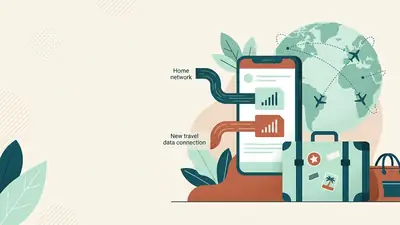
eSIM Dual SIM: Keep Your Home Number and Add Travel Data
Dual SIM lets one phone hold your home line and a travel eSIM.

eSIM for Cruises: Ship Networks, Roaming and Wi-Fi
A travel eSIM covers land ports, but ship cellular service is billed as roaming.

eSIM for Digital Nomads: Data, Number and Backup Plan
A digital nomad needs data that lasts, a way to receive codes and a backup line.

Best eSIM for International Travel: What to Compare
No single eSIM suits every route.

Best eSIM: How to Pick One for Your Own Trip
The best eSIM depends on your route, phone and habits.

eSIM for International Travel: A Practical Guide
How to plan and set up an eSIM for any trip abroad.