eSIM Dual SIM: Keep Your Home Number and Add Travel Data
Dual SIM lets one phone hold your home line and a travel eSIM. Here is how to set data, calls and messages so each line does one job abroad.
Short answer
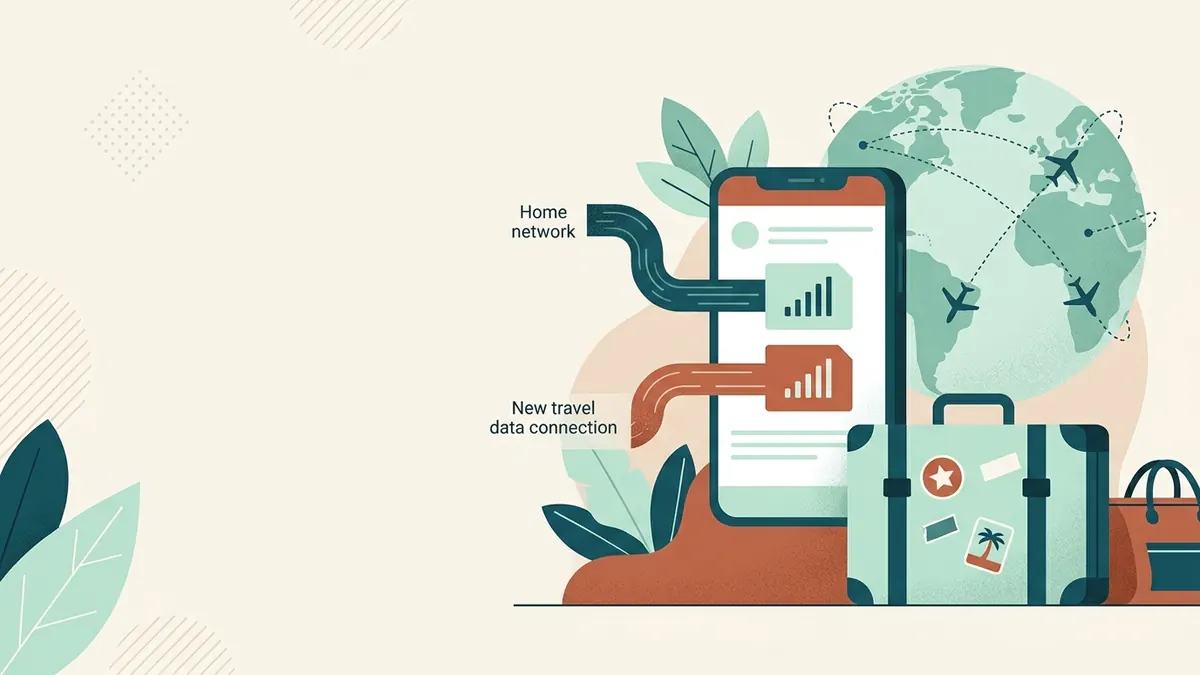
Yes. A dual SIM phone can hold your home line and a travel eSIM together. Set the travel eSIM for mobile data, keep the home line for calls and texts, and turn off data roaming on the home line to avoid surprise charges abroad.
Dual SIM is the feature that makes travel eSIMs practical. You keep the number your bank and friends know, and you add a local or regional data plan on top.
What does dual SIM mean with an eSIM?
It means the phone holds two cellular lines at once. One can be a physical SIM card and one an eSIM, or both can be eSIMs on newer models. Each line has its own number, plan and settings.
Apple's Dual SIM page, read 28 Nov 2026, says you can pair a physical SIM with an eSIM on iPhone XS, XS Max, XR and later. It adds that "iPhone 13 models and later also support Dual SIM with two eSIMs." Google's Pixel help says that with dual SIMs you choose which SIM your phone uses for data, calls and texts.
Samsung's support pages say eSIM support depends on country and carrier, and that a listed device may still lack eSIM support depending on its country of origin. Samsung's UK page does not say how many eSIM plans can be active at once, so check your own model's support page before you rely on two eSIMs. The phone checker is the quick place to start.
How should I split the two lines when I travel?
The usual split is simple:
| Job | Which line | Why |
|---|---|---|
| Mobile data | Travel eSIM | The plan was bought for data |
| Calls and texts to your home number | Home line | The number stays reachable |
| iMessage and FaceTime | Home line or both | Apple lets you choose which plans are used |
| Banking codes by text | Home line | The code goes to the number on file |
Apple's travel eSIM page says that if you use only the travel eSIM for data, FaceTime and iMessage continue on your home line. It also says you can keep both lines on to keep the primary line's capabilities working, and that you may still incur roaming fees on the home line.
Many travel eSIMs are data-only. Airalo's help page says a data-only eSIM does not provide voice or SMS and does not come with a phone number, so you keep your primary line for calls and texts. If you want a travel plan that has its own number, see eSIM with phone number.
How do I set the data line on iPhone?
Go to Settings, then Cellular, and open Cellular Data. Choose the travel eSIM. On the same screen, check that "Turn On this Line" is enabled for both lines you want active.
Apple's Dual SIM page also describes Allow Cellular Data Switching, found under Mobile Data. When it is on, a voice-only line can switch to voice and data during a call. Apple warns that data roaming blocks this switching, and that when it is off, cellular data will not work while you are on a call on a line that is not the data line. If you take calls on your home number while abroad and want maps to keep working, that setting matters.
Apple also lets you choose a default number for calls and messages to people not in Contacts, and choose which plans are used for iMessage and FaceTime.
How do I set the data line on Android?
On a Pixel, open Settings, Network and internet, then SIMs. Google's help page covers adding a plan with Download a new eSIM and says the dual SIM guide explains choosing data, calls and texts per SIM. On Samsung, the path is usually Settings, Connections, SIM manager. Menus vary by model, so use the label closest to "SIM manager".
Airalo's help page adds a warning for Samsung and Pixel: its data-only eSIM may show up as a Calls or SMS choice, but selecting it will not enable calls or texts. Choose your primary line for both.
How do I avoid roaming charges on the home line?
This is the part people miss. Leaving the home line on while abroad can still trigger roaming. Airalo's help page says an active primary line can incur roaming charges for incoming calls and voicemail, even with data roaming off, and recommends checking with your home provider.
A safe routine:
- Ask your home carrier what it charges abroad for calls, texts and voicemail, and whether it has a travel pass.
- Turn off Data Roaming on the home line. Apple's roaming page says you pick the line first on dual SIM devices, then open Cellular Data Options.
- Leave Data Roaming off on the home line and on only for the travel eSIM if the provider tells you it is needed.
- If you do not need to receive calls at all, turn the home line off for the trip.
The guide on eSIM data roaming explains why a travel eSIM sometimes needs roaming switched on.
What can go wrong with two lines?
- The phone picks the wrong line for data. Check Cellular Data again after you land.
- The travel eSIM connects but the home line wakes up and roams. Turn off roaming on the home line.
- A call on the home line pauses data on the travel eSIM. Check Allow Cellular Data Switching.
- You deleted the wrong eSIM. Apple says erasing an eSIM does not cancel the plan, and you need your carrier for a new one, so use the line labels before you delete.
If the travel line stops working, work through eSIM not working abroad.
Which phones are worth checking first?
Check three things before you buy a plan: the phone supports eSIM, it is unlocked, and it supports dual SIM. Apple's travel page says to look for "No SIM Restrictions" next to Carrier Lock under Settings, General, About. The guide is my phone carrier unlocked for eSIM covers the steps.
For the bigger picture of when an eSIM or a physical SIM suits your trip, use the eSIM or SIM tool and browse the guides.
Frequently asked questions
Can an iPhone use two eSIMs at the same time?
Apple says iPhone 13 models and later support Dual SIM with two eSIMs, and that earlier models from iPhone XS and XR can pair one physical SIM with one eSIM. Check your model on Apple's page before you buy a plan.
Will my home number still work if I switch data to a travel eSIM?
Yes, if you keep the home line turned on. Apple says FaceTime and iMessage continue on your home line when you use only the travel eSIM for data. Calls and texts to the home number may still carry roaming fees from your home carrier.
Which line should be my default for calls?
Apple lets you pick a default number for people not in Contacts and choose which line handles data. A common setup is the home line for calls and the travel eSIM for data, unless the travel plan includes its own number.
Does dual SIM use more battery?
Neither Apple nor Google publishes a figure, so we cannot give one. Two active lines mean the phone watches two networks. If battery is tight, turn off the line you do not need while abroad.
Sources
- Using Dual SIM with an eSIM, Apple Support (2026)
- Use eSIM while traveling internationally with your iPhone, Apple Support (2026)
- Set up an eSIM (Pixel Phone Help), Google Pixel Help (2026)
- How can I receive SMS and calls while connected with my data-only eSIM?, Airalo Help Center (2026)
Keep reading

Transfer eSIM From iPhone to Android: What to Know
Move an eSIM from iPhone to Android with a supported carrier.

Transfer eSIM From One iPhone to Another: Steps
How to move an eSIM from one iPhone to another.
Transfer eSIM to a New Android Phone: Methods
Move an eSIM to a new Android phone with Google's Transfer SIM or Samsung's Instant Transfer.

Best eSIM for International Travel: What to Compare
No single eSIM suits every route.

Best eSIM: How to Pick One for Your Own Trip
The best eSIM depends on your route, phone and habits.

Transfer eSIM to a New iPhone: Options and Fixes
Getting a new iPhone?