What Is an eSIM? A Plain Guide for Travellers
An eSIM is a SIM built into your phone that you set up by software, so a mobile plan loads without a plastic card. Learn how it works and what to check.
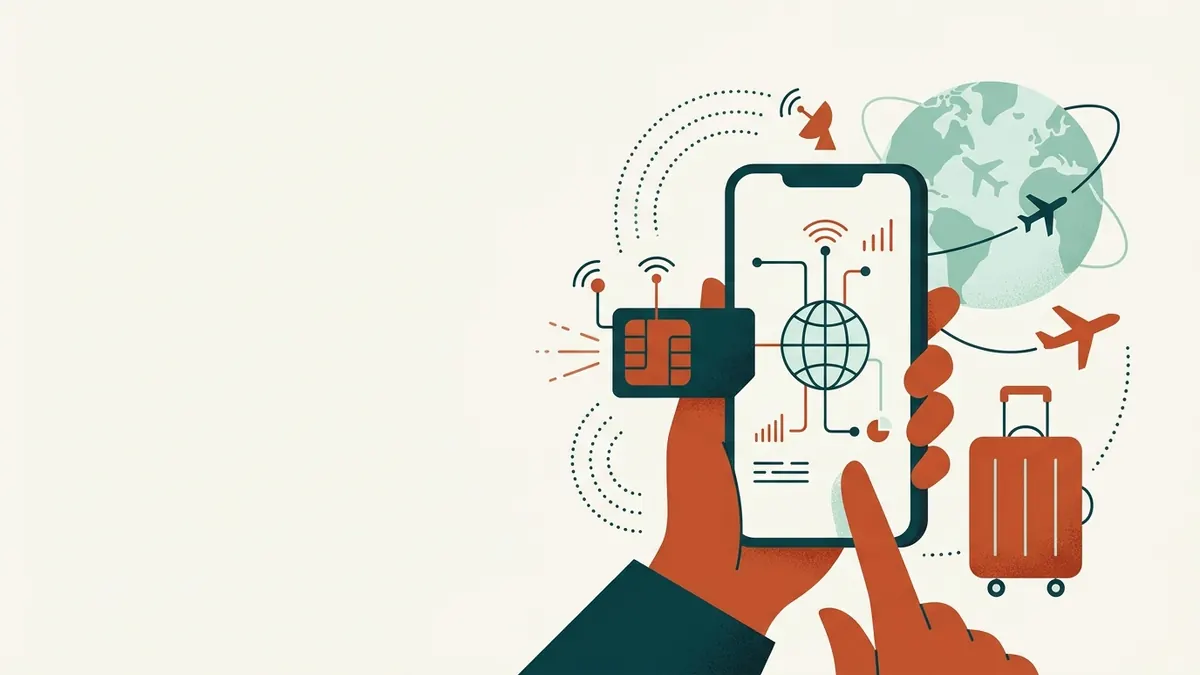
Short answer
An eSIM is a digital SIM stored inside your phone. Instead of putting a plastic card in a tray, you add a mobile plan by scanning a QR code, using a carrier app or typing details. Your phone then connects to that carrier's network.
You will see the word eSIM on travel sites, phone spec sheets and carrier pages. This guide explains the idea in plain terms, what changes for you as a traveller, and what to check before you rely on one.
What does eSIM actually mean?
The "e" stands for embedded. A normal SIM is a small card that carries your subscriber identity. An eSIM does the same job, but the chip is soldered inside the phone. Because the chip is empty until you add a plan, the plan itself is a small file your phone downloads. Apple describes it as a digital SIM that lets you use a carrier plan without a physical nano-SIM.
That file is often called a profile. A phone can store more than one profile, but only some are active at once. Which ones are active depends on the phone model and the carrier.
How is it different from a physical SIM?
| Point | Physical SIM | eSIM |
|---|---|---|
| Form | Removable card | Built in, no card |
| Getting a plan | Buy a card, insert it | Scan a QR code, use an app, or enter details |
| Switching plans | Swap the card | Switch the profile in Settings |
| If you lose the phone | Card can be moved to another phone | Profile is tied to the phone until transferred |
| Needs a tray | Yes | No |
The practical gain is that you can buy and set up a plan before you leave home, from your sofa, and have it ready when you land. You do not need to find a shop, and you cannot drop a card down a drain.
For a full side-by-side, see eSIM vs physical SIM.
How do you add one?
Apple's support page lists the common routes for iPhone: scan a QR code with the Camera app, use your carrier's app, enter the details manually under Settings, Cellular, Add Cellular Plan, or follow a carrier activation prompt. Samsung's Galaxy page lists a similar set: simple setup from the carrier, a QR code, or an activation code, all under Settings, Connections, SIM manager, Add eSIM. Google's Pixel help gives Settings, Network and internet, SIMs, Add SIM.
The exact screens change with each software update, so use the official page for your phone. Our guides cover the common ones: how to set up an eSIM on iPhone and eSIM on Android.
Which phones support eSIM?
Apple says an iPhone XS, XS Max, XR or later works with eSIM on a supporting carrier. Many recent Android phones do too, but support can vary by country of purchase, and Wi-Fi-only tablets do not take a cellular eSIM. Samsung notes that eSIM support depends on the model and carrier.
Two warnings. Some countries sell different hardware. Apple's own page says that in mainland China only certain iPhone models support eSIM, and Hong Kong and Macao use two nano-SIMs on certain models. Also, a phone locked to one carrier may not accept another carrier's plan. Use our phone checker to run through the steps.
What are the limits of an eSIM when travelling?
- Setup needs an internet connection, so do it on home Wi-Fi or hotel Wi-Fi.
- Deleting an eSIM from the phone usually removes the plan for good. Apple warns you will need a new eSIM from your carrier.
- A data-only travel eSIM often has no phone number, so calls and SMS verification codes still go to your home SIM.
- Hotspot sharing, validity days and the network used depend on the plan, not the technology.
Keep your home SIM active as a second line if your bank sends codes by text. Apple notes that only one number can use cellular data at a time, and you choose which under Settings, Cellular, Cellular Data.
How do you choose a travel eSIM?
The technology is the same everywhere, so the decision is about the plan. Compare data amount, validity days, which local network it uses, whether hotspot is allowed, whether it includes a phone number, and the price on the date you check. Country pages, such as /thailand/, list these facts with the date each price was checked, and do not rank anyone.
If you are heading somewhere specific, start with the country guides for local networks and rules. To decide between a card and a download, try the eSIM or SIM tool.
What does an eSIM change for security and privacy?
Your phone number and plan live on the chip, not on a card a thief can pull out. Apple's Dual SIM page notes that you can label lines and choose which one handles calls and data, which helps you keep a travel plan separate from your home number. We found no official statement that makes an eSIM safer or riskier than a physical SIM in every case, so we do not claim one. Keep the activation code private, set a screen lock, and use your carrier's own tools to suspend a line if the phone is lost.
Can you try an eSIM without risk?
Nothing stops you installing one before you buy a long trip's worth of data. You can set up a small plan at home to learn the screens, then add the real plan later. Check each provider's refund and expiry rules before you pay, since they differ and we do not list them here.
Quick checklist before you go
- Confirm your phone model supports eSIM, using the manufacturer's own page.
- Check the phone is not locked to one carrier.
- Install the eSIM on Wi-Fi before the flight.
- Keep your home line on for texts, but turn off its data roaming.
- Save the QR code or confirmation email somewhere you can reach offline.
Read from Apple, Samsung and Google support pages on 28 Nov 2026. Software changes, so treat the steps as a guide and check the page for your own phone.
Frequently asked questions
Is an eSIM the same as a SIM card?
Both identify you to a mobile network. A physical SIM is a removable card, while an eSIM is built into the phone and loaded with a plan by software. Many phones can hold both, and you pick which line handles calls and data.
Can I use an eSIM and a physical SIM together?
Yes on many phones. Apple says you can pair a physical SIM with an eSIM, and iPhone 13 and later can use two eSIMs. Only one number can use cellular data at a time, which you choose in Settings.
Do I need Wi-Fi to add an eSIM?
Usually yes. Apple's setup page tells you to connect to Wi-Fi or a hotspot first, because the plan details download over the internet. Some eSIM-only phones in certain countries can activate without it.
Will my phone work with any eSIM?
Not always. The phone must support eSIM and, if it is locked to one carrier, may refuse a plan from another. Check the phone model and unlock status before you buy a plan.
Sources
- Using Dual SIM with an eSIM, Apple Support (2026)
- Set up an eSIM on iPhone, Apple Support (2026)
- Galaxy eSIM and supported mobile carriers, Samsung Support (2026)
Keep reading

eSIM Not Working Abroad: A Step-by-Step Fix List
How to fix a travel eSIM that has no data abroad.
eSIM QR Code: How to Scan, Save and Stay Safe
An eSIM QR code installs your plan when you scan it in Camera or Settings.
eSIM Refund: What Providers Say and How to Ask
eSIM refund rules differ by provider and depend on whether the plan was installed or used.

Best eSIM: How to Pick One for Your Own Trip
The best eSIM depends on your route, phone and habits.

Best eSIM for International Travel: What to Compare
No single eSIM suits every route.
eSIM Scams: How to Spot Fake Offers and Unsafe QR Codes
Watch for fake QR codes, unexpected texts and payment demands.