eSIM vs Physical SIM: Differences for Travellers
eSIM vs physical SIM compared for travel: setup, phone support, swapping, losing a phone and how to use both lines together. Criteria, not a verdict.
Short answer
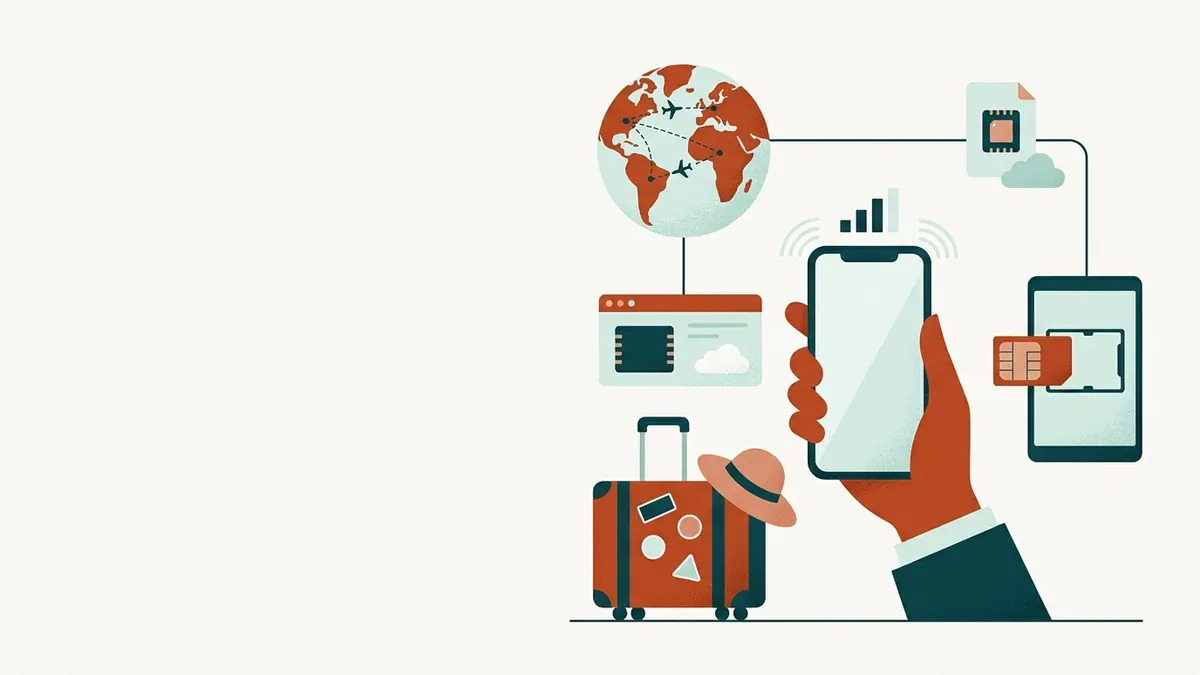
A physical SIM is a removable card, while an eSIM is built into the phone and loaded by software. Neither is better in every case. Which suits you depends on your phone, how fast you need data on arrival and whether you swap phones.
Travellers often ask whether to buy a SIM card at the airport or install an eSIM. Both work. This page lists the real differences so you can decide without a sales pitch.
What are the basic differences?
| Point | Physical SIM | eSIM |
|---|---|---|
| What it is | Removable card | Chip inside the phone, plan loaded by software |
| Where you get it | Shop, kiosk, airport counter | Online, before you travel |
| Setup | Open tray, insert card | QR code, app or typed details |
| Works on any phone | Any unlocked phone with a tray | Only eSIM phones |
| Swap to another phone | Move the card | Transfer or reissue the plan |
| Passport or ID | Often asked in person, depends on the country | Depends on the provider and local rules |
Check local rules in your destination, since several countries require identity details for SIM registration. Our country pages cover this where we have verified it.
When does an eSIM make sense?
- Your phone supports it and is unlocked.
- You want data working the moment you land.
- You carry two lines and want to keep your home number active. Apple says you can combine a physical SIM and an eSIM, and iPhone 13 and later can use two eSIMs.
- You do not want to queue at an airport counter.
Apple's page says an iPhone XS, XS Max, XR or later works with eSIM on a supporting carrier. Samsung and Google both document eSIM setup for their phones too. See what is an eSIM for the basics.
When does a physical SIM make sense?
- Your phone has no eSIM support.
- Your phone is locked to a carrier that refuses other plans.
- You prefer buying a card for a long stay, with a local number and registration done in a shop.
- You travel in a country where your model sells with a different SIM setup. Apple's own page says that in mainland China only certain iPhone models support eSIM, and Hong Kong and Macao use two nano-SIMs on certain models.
What about losing or changing phones?
A physical SIM moves between phones by hand. An eSIM is tied to the phone until you transfer it. Apple documents a transfer between iPhones, and a transfer between Android and iPhone for supported carriers on recent software. Samsung and Google describe transfers between their own phones. If the transfer path is not supported, the provider may have to reissue the plan. See transfer eSIM to new iPhone and transfer eSIM to a new Android phone.
Also note that deleting an eSIM from an iPhone removes it from the phone, and Apple says you then need a new one from the carrier. Deleting does not cancel the plan.
How do you compare the plans themselves?
The form factor matters less than the plan. For either type, compare data allowance, validity days, which local network it uses, hotspot rules, whether a phone number is included, and the price on the date you check. Each country page, such as /thailand/, lists these facts with a checked date for each price.
If you need a quick answer, the eSIM or SIM tool asks a few questions about your phone and trip.
How do roaming and local plans fit in?
An eSIM is only the container. You can load a plan from your home carrier, a roaming add-on, or a local or regional travel provider. Home roaming keeps your number but the rules, speeds and charges are set by your carrier, so ask them before you leave. A travel eSIM usually gives data only, on a local network, and keeps your home number on the other line. Either choice works with eSIM or a physical SIM, so decide the plan first and the form second.
What about hotspot, tethering and a laptop?
Both types can share data to other devices if the plan allows it. This is a plan rule, not a SIM rule, so look for the hotspot line on the plan page. If you need a laptop connection for work, check it before you pay, and remember that sharing uses the data allowance faster than phone use alone.
What if the phone breaks on a trip?
A broken phone with a physical SIM can be fixed by moving the card to another unlocked phone. An eSIM needs the provider to issue a new code, which can take time and needs email or Wi-Fi access. Before a long trip, screenshot nothing sensitive, but do note the provider's support address and keep the order email where you can reach it from a borrowed device.
What about taxes, fees and refunds?
These vary by seller and country, and we do not quote any figures here. Look at the checkout page for the final total and read the refund rule before you pay. A physical SIM bought in a shop follows that shop's returns policy, while a digital plan often cannot be refunded once the code is installed.
Decision checklist
- Does your phone support eSIM, per the maker's own page?
- Is it unlocked?
- Do you need a local number, or only data?
- Can you install on Wi-Fi before you leave?
- Will you swap phones during the trip?
If you answered no to the first two, plan on a physical SIM. Otherwise either route works, and the plan details decide.
Read from Apple, Samsung and Google support pages on 28 Nov 2026.
Frequently asked questions
Is eSIM or physical SIM better for travel?
Neither wins every time. An eSIM can be set up before you fly, while a physical SIM works in any unlocked phone with a tray. Match the choice to your phone model, your destination and how you plan to pay.
Can I keep my home SIM and add a travel eSIM?
On many phones, yes. Apple says you can pair a physical SIM with an eSIM, and use two eSIMs on iPhone 13 and later. You pick which line handles data in Settings, Cellular.
What if my phone has no eSIM?
Then a physical SIM is the route. Check the manufacturer's page for your model, because some phones sold in certain regions differ. Apple notes mainland China sells different iPhone hardware.
Do I lose my number with an eSIM?
No, your home number stays on its own line. A data-only travel eSIM usually adds no number. Keep the home line on if you need text codes from your bank while abroad.
Sources
- Using Dual SIM with an eSIM, Apple Support (2026)
- Set up an eSIM on iPhone, Apple Support (2026)
- Galaxy eSIM and supported mobile carriers, Samsung Support (2026)
Keep reading
What Is an eSIM? A Plain Guide for Travellers
What an eSIM is and how it works for travellers.
WhatsApp With an eSIM: Keep Your Number and Chats
A travel eSIM does not change your WhatsApp account.

When to Install an eSIM Before Travel (and Activate It)
Install your travel eSIM at home on WiFi and switch it on at your destination.

Best eSIM: How to Pick One for Your Own Trip
The best eSIM depends on your route, phone and habits.

Best eSIM for International Travel: What to Compare
No single eSIM suits every route.
Asia eSIM: How to Choose a Regional Plan for Your Route
An Asia eSIM covers a stated list of countries, and lists differ by plan and change.