Thailand eSIM hotspot: can you share data?
Whether you can share data from a Thailand eSIM depends on the plan's terms. See what to check, how to turn hotspot on and how much data a laptop uses.

Short answer
Whether you can use a hotspot on a Thailand eSIM depends on the plan's terms. Read the product page for a hotspot or tethering line. If it is silent, ask the seller before you buy, because some plans limit or exclude sharing.
A hotspot lets your phone share its mobile data with a laptop or tablet. Whether your Thailand eSIM allows it depends on the plan, not on the phone. This page tells you what to check, how to turn it on and how to keep data use under control.
Does my Thailand eSIM allow hotspot?
Look for a line on the product page that says hotspot, tethering or personal hotspot. Some plans allow it, some limit it and some exclude it. The terms are the only reliable source.
AIS's tourist SIM page, read on 28 Nov 2026, lists data, calls, the data-free social apps and eSIM options for its tourist plans, but the text we read does not mention hotspot use. So we do not state whether AIS tourist plans allow it. If you need it, read the full terms or ask the AIS Call Center on 1175, which the page lists as free to call. For other sellers, read their pages in the same way. Google's support page on sharing mobile data adds that some carriers limit or charge extra for tethering, so the carrier's rule matters.
What should I compare on plans?
| Criteria | Why it matters for hotspot |
|---|---|
| Hotspot allowed | The first question |
| Data allowance | Laptops use more than phones |
| Speed after a limit | A slow down hurts calls and uploads |
| Fair use policy | May affect heavy sharing |
| Validity | Days must cover your work period |
| Support | A way to ask if the terms are unclear |
The plans we track are in the table below, with data, validity and the date each price was checked. Use it to filter, then read each seller's own page for the hotspot line.
| Provider | Plan | Data | Days | Network | Price | Checked |
|---|---|---|---|---|---|---|
| Airalo | Thailand 3 GB 7 days | 3 GB | 7 | 6 USD | 2026-11-28 | |
| Airalo | Thailand 5 GB 30 days | 5 GB | 30 | 8 USD | 2026-11-28 | |
| Airalo | Thailand Unlimited 30 days | Unlimited | 30 | 49 USD | 2026-11-28 | |
| Airalo | Thailand Unlimited 7 days | Unlimited | 7 | 21 USD | 2026-11-28 | |
| Maya | Thailand Unlimited 14 days | Unlimited | 14 | 27.99 USD | 2026-11-28 | |
| Maya | Thailand Unlimited 3 days | Unlimited | 3 | 9.99 USD | 2026-11-28 | |
| Maya | Thailand Unlimited 30 days | Unlimited | 30 | 49.99 USD | 2026-11-28 | |
| Maya | Thailand Unlimited 7 days | Unlimited | 7 | 19.99 USD | 2026-11-28 | |
| Nomad | Thailand 1 GB 7 days | 1 GB | 7 | 5 USD | 2026-11-28 | |
| Nomad | Thailand 5 GB 30 days | 5 GB | 30 | 8 USD | 2026-11-28 | |
| Nomad | Thailand Unlimited 10 days | Unlimited | 10 | 17 USD | 2026-11-28 | |
| Nomad | Thailand Unlimited 7 days | Unlimited | 7 | 15 USD | 2026-11-28 | |
| Ubigi | Thailand 10 GB 30 days | 10 GB | 30 | AIS, True Move | 11 USD | 2026-11-28 |
| Ubigi | Thailand 3 GB 15 days | 3 GB | 15 | AIS, True Move | 5 USD | 2026-11-28 |
| Ubigi | Thailand Unlimited 30 days | Unlimited | 30 | AIS, True Move | 48 USD | 2026-11-28 |
| Ubigi | Thailand Unlimited 7 days | Unlimited | 7 | AIS, True Move | 20 USD | 2026-11-28 |
| Yesim | Thailand 20 GB 30 days | 20 GB | 30 | 18.7 USD (promotional price) | 2026-11-28 | |
| Yesim | Thailand 5 GB 30 days | 5 GB | 30 | 7.7 USD (promotional price) | 2026-11-28 | |
| Yesim | Thailand Unlimited 7 days | Unlimited | 7 | 24.64 USD | 2026-11-28 |
Prices change. Each row shows the price as the provider page displayed it on the date we checked, with a link to that page. Your checkout currency may differ.
How do I turn on hotspot?
Steps differ by phone. Google's support page, read on 28 Nov 2026, describes the Android path: turn on the Hotspot tile in Quick Settings, then connect another device using the hotspot name and password. The page says you can share with up to 10 devices and that you can remove the password requirement. It also describes Bluetooth and USB tethering. On an iPhone, Personal Hotspot is in Settings, but we could not open Apple's page on it, so follow the steps shown on your phone. If you have two lines, make sure the Thai line is the cellular data line. Apple's Dual SIM page says only one number can use cellular data at a time.
How much data will a laptop use?
A lot more than a phone, if you let it. Operating system updates, cloud sync, photo backups and video calls all run in the background. Before you share a connection:
- Set the laptop connection to metered, if your system offers it.
- Pause cloud backups and large downloads.
- Turn off automatic updates for the trip.
- Use the data calculator to estimate a work day.
- Check your usage after the first day.
The data calculator can model a work day with video calls and uploads, so you can pick a plan size with some margin.
How do I save battery while sharing?
Google's page suggests plugging in devices while you share, turning off tethering when you finish and enabling auto-off for the hotspot if your phone supports it. A phone in a hot room and a case can overheat. Keep it in the shade and consider removing the case if it gets warm. Carry a battery pack.
What if the hotspot connects but nothing loads?
- Check the Thai line is set for data and has signal.
- Check the plan has not hit a limit.
- Restart the hotspot and reconnect.
- Try USB tethering with a cable.
- Ask the seller whether tethering is blocked on that plan.
Some plans block hotspot traffic, in which case a laptop connects but pages do not load. If that happens, the answer is in the plan's terms, not the phone's settings.
Is hotspot a good idea for a long stay?
For occasional use, yes. For daily work, a Wi-Fi connection at your accommodation or a co-working space is usually more stable, and mobile data works as backup. See Thailand Wi-Fi vs eSIM and digital nomad internet in Thailand.
Can I use two phones as hotspots?
You can, if the plans allow it and you keep each one with its own data. Some travellers use a second eSIM on a spare phone as a dedicated hotspot, which keeps the main phone free for calls and keeps its battery safe. The spare phone needs its own plan and a charger. Check each plan's hotspot terms, because a plan that allows it on one device may not on another. This setup is useful for work, but it also doubles the admin, so use it only if you need the reliability.
Checklist
- Hotspot line read on the plan page, or the seller asked.
- Data sized for a laptop, not just a phone.
- Laptop set to metered, backups and updates paused.
- Battery pack and shade for the phone.
- A backup plan if the hotspot fails.
For other pages, see the Thailand hub.
One more point: name your hotspot something plain and set a strong password, so other people in a cafe or hotel do not try to join it. Turn it off when you finish, which also saves battery and data.
Frequently asked questions
Can I use my phone as a hotspot on a Thailand eSIM?
It depends on the plan. AIS's tourist page, read on 28 Nov 2026, does not mention hotspot use. Google's support page says some carriers limit or charge extra for tethering. Read the terms of your plan or ask the seller.
How do I turn on hotspot on Android?
Google's support page says to turn on the Hotspot tile in Quick Settings, then connect another device using the hotspot name and password. You can share with up to 10 devices on that page's description. Steps vary by phone and version.
Does a hotspot use more data than a phone?
A laptop can use more data than a phone, because of system updates, cloud backups and video calls. Set your laptop to treat the connection as metered, pause backups and updates, and check your data use during the first day.
Does hotspot drain my battery?
Yes. Google's page suggests plugging in devices, turning off tethering when finished and enabling auto-off for the hotspot if your phone supports it. Carry a battery pack if you plan to share data for long periods.
Sources
- Share your phone's mobile data (read 28 Nov 2026), Google (2026)
- AIS tourist SIM and plans (read 28 Nov 2026), AIS (2026)
- Use Dual SIM on iPhone (read 28 Nov 2026), Apple (2026)
Keep reading

Thailand Travel Checklist: Phone, eSIM and Connectivity
A connectivity checklist for your Thailand trip.

Thailand Wi-Fi vs eSIM: which connection for which job
Wi-Fi and an eSIM do different jobs in Thailand.
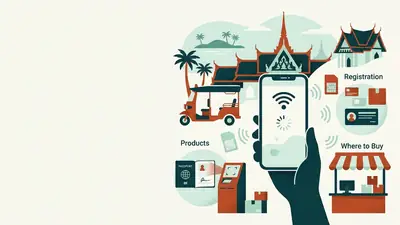
True Tourist SIM: Products, Registration and Where to Buy
What True-dtac publishes about its tourist SIMs, registration and where to buy.
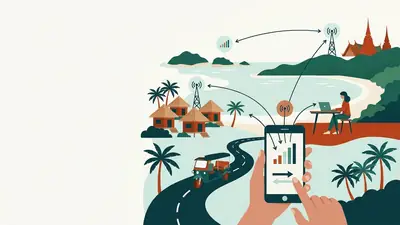
Koh Lanta Mobile Coverage: Bungalows, Roads and Remote Work
What mobile coverage to expect on Koh Lanta.
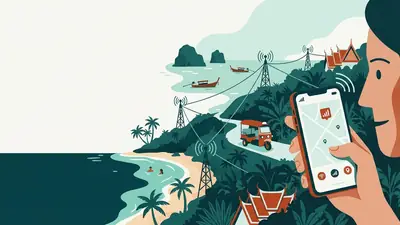
Koh Phangan Mobile Coverage: Bays, Hills and Boat Days
What mobile coverage to expect on Koh Phangan.
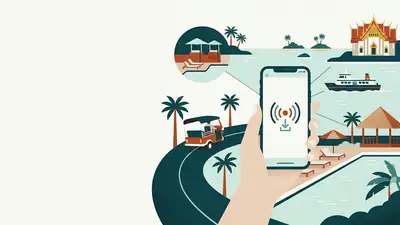
Koh Samui Mobile Coverage: Ring Road, Resorts and Ferries
What mobile coverage to expect on Koh Samui.