Receive SMS OTP codes in Thailand: keep your number
Bank and app codes by SMS still go to your home number. See how dual SIM keeps it reachable in Thailand, what roaming means and what to set up before you fly.
Short answer
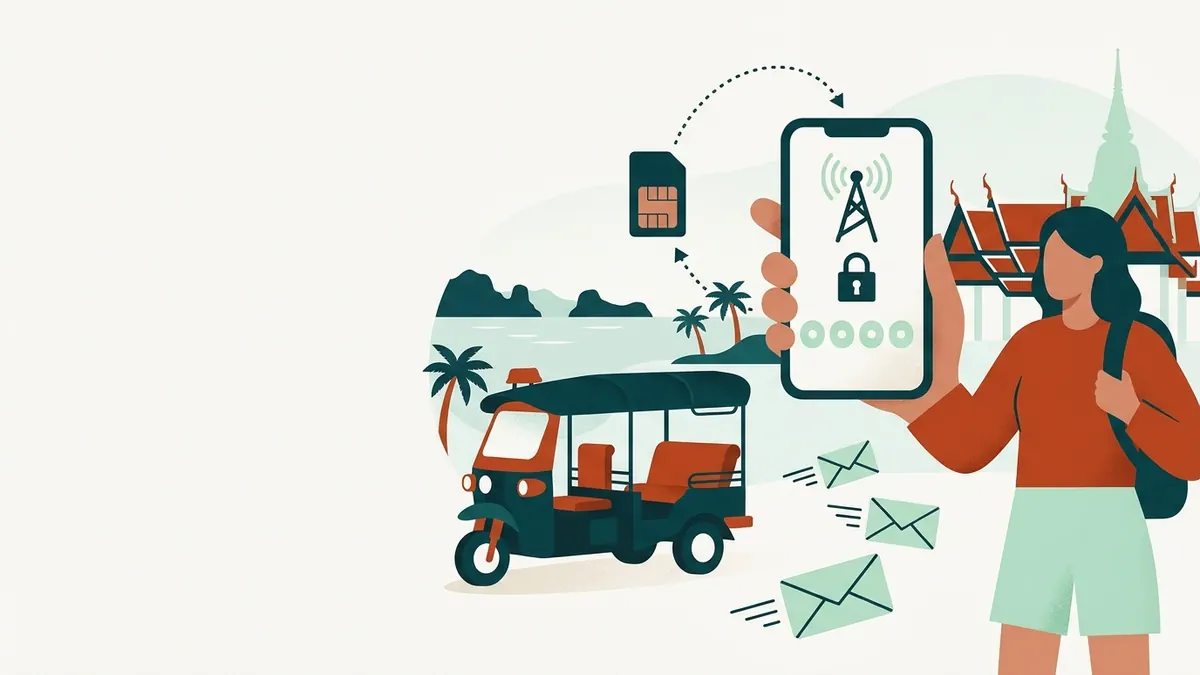
Keep your home SIM active on a second line for SMS codes, and use a travel eSIM for data. A data-only eSIM cannot receive texts. Check your carrier's roaming terms before you leave, and set up an authenticator app or another method as a backup for banking codes.
Many banks, card apps and messaging services still send one time codes by SMS. When you land in Thailand and swap SIMs, those texts may stop reaching you. This page shows how to keep them coming, what limits to expect, and how to set up alternatives before you leave.
Why do SMS codes go missing abroad?
Codes go to a phone number. If that number is on a SIM that is out of your phone, switched off or blocked from roaming, the text does not arrive. Three common causes:
- You replaced your home SIM with a Thai SIM in a single slot phone.
- Your home carrier does not deliver texts abroad on your plan, or you turned roaming off completely.
- You use a data-only eSIM, which has no number for texts.
The fix is to keep your home number reachable while you use a Thai connection for data.
How do I keep my home number active?
Use two lines. Apple's Dual SIM page, read on 28 Nov 2026, explains that an iPhone can hold two plans and that you choose a default line for calls and texts and one line for cellular data. Only one number can use cellular data at a time. So the setup is:
- Keep the home SIM active as the line for calls and texts.
- Add a Thai or travel eSIM as the second line.
- Set the Thai line as the cellular data line.
- Turn off data roaming on the home line.
Apple lists iPhone XS or later and a carrier that supports eSIM, and for two carriers either an unlocked phone or both plans from the same carrier. Use the phone checker for your model. Android phones differ by brand.
What does roaming mean for texts?
Roaming lets your home SIM connect to a foreign network. Receiving a text abroad may be free or may carry a charge, depending on your carrier. We do not state your carrier's terms, because they vary. Ask before you travel, and ask whether you can receive texts with data roaming switched off, which is the usual setting to avoid data charges.
If your carrier does not deliver texts abroad, move your bank's second step to an authenticator app or another method before you leave.
What alternatives to SMS can I set up?
| Method | Setup before travel |
|---|---|
| Authenticator app | Install and link it at home |
| Email code | Check you can open your email abroad |
| Push approval in the bank app | Enable it in the app |
| Hardware key | Carry it, and a spare |
| Backup codes | Print or save them offline |
Set these up while you are at home and on a stable connection. Save backup codes where you can read them without the account you are trying to unlock.
What about WhatsApp and LINE codes?
WhatsApp's help page says it sends a six digit code by SMS to the number you register, and that you can request a call instead. It also says that if you use roaming, registration may fail, and the SMS or call cost depends on your carrier. It warns against guessing codes, since that can lock you out for a time. If your account already exists on your home number, you do not need a new code just because you changed the data connection. See WhatsApp in Thailand.
LINE's help page says that if texts do not arrive, you can choose Call me instead, which gives an automated call with the code, and that too many attempts suspend the feature. See LINE for travellers.
Can I get a Thai number for codes?
A tourist SIM or eSIM with a number can receive Thai texts, which helps with local apps but not with your home bank. AIS's tourist SIM page lists plans with a number and says to register before use. Registration takes your passport. The plans we track are in the table below, with the date each price was checked.
| Provider | Plan | Data | Days | Network | Price | Checked |
|---|---|---|---|---|---|---|
| Airalo | Thailand 3 GB 7 days | 3 GB | 7 | 6 USD | 2026-11-28 | |
| Airalo | Thailand 5 GB 30 days | 5 GB | 30 | 8 USD | 2026-11-28 | |
| Airalo | Thailand Unlimited 30 days | Unlimited | 30 | 49 USD | 2026-11-28 | |
| Airalo | Thailand Unlimited 7 days | Unlimited | 7 | 21 USD | 2026-11-28 | |
| Maya | Thailand Unlimited 14 days | Unlimited | 14 | 27.99 USD | 2026-11-28 | |
| Maya | Thailand Unlimited 3 days | Unlimited | 3 | 9.99 USD | 2026-11-28 | |
| Maya | Thailand Unlimited 30 days | Unlimited | 30 | 49.99 USD | 2026-11-28 | |
| Maya | Thailand Unlimited 7 days | Unlimited | 7 | 19.99 USD | 2026-11-28 | |
| Nomad | Thailand 1 GB 7 days | 1 GB | 7 | 5 USD | 2026-11-28 | |
| Nomad | Thailand 5 GB 30 days | 5 GB | 30 | 8 USD | 2026-11-28 | |
| Nomad | Thailand Unlimited 10 days | Unlimited | 10 | 17 USD | 2026-11-28 | |
| Nomad | Thailand Unlimited 7 days | Unlimited | 7 | 15 USD | 2026-11-28 | |
| Ubigi | Thailand 10 GB 30 days | 10 GB | 30 | AIS, True Move | 11 USD | 2026-11-28 |
| Ubigi | Thailand 3 GB 15 days | 3 GB | 15 | AIS, True Move | 5 USD | 2026-11-28 |
| Ubigi | Thailand Unlimited 30 days | Unlimited | 30 | AIS, True Move | 48 USD | 2026-11-28 |
| Ubigi | Thailand Unlimited 7 days | Unlimited | 7 | AIS, True Move | 20 USD | 2026-11-28 |
| Yesim | Thailand 20 GB 30 days | 20 GB | 30 | 18.7 USD (promotional price) | 2026-11-28 | |
| Yesim | Thailand 5 GB 30 days | 5 GB | 30 | 7.7 USD (promotional price) | 2026-11-28 | |
| Yesim | Thailand Unlimited 7 days | Unlimited | 7 | 24.64 USD | 2026-11-28 |
Prices change. Each row shows the price as the provider page displayed it on the date we checked, with a link to that page. Your checkout currency may differ.
What are the risks with codes?
Codes are keys to your accounts. Never read a code to someone who calls you, even if they claim to be your bank or an app. Do not enter a code on a link from an unexpected text. If a Thai SIM seller asks for a code you receive, refuse. For related risks see Thailand SIM card scams.
What if I lose my home SIM?
Contact your home carrier at once to block the line and ask for a replacement, then change the sensitive accounts that send codes to it. Banks usually offer other ways to verify you, such as an app or a call, but it is much easier to set those up before you leave. Keep a note of the carrier's international contact number somewhere other than your phone. If your phone is lost or stolen too, use another device to reach the carrier's website and report it. Carry a spare payment card kept apart from the first.
Checklist
- Home SIM on a second line or eSIM slot, set to calls and texts.
- Thai line set as the data line.
- Data roaming off on the home line.
- Carrier's roaming terms read.
- Backup methods set up for banks.
- Test texts received before you fly.
For the wider picture, see Thailand phone numbers for tourists and the Thailand hub.
Frequently asked questions
Will my bank's SMS code work in Thailand?
It works if your home SIM can receive texts abroad. That depends on your carrier's roaming terms. Keep the home line active on a second slot or eSIM, and keep data roaming off to avoid data charges. Test before you travel.
Can a data-only eSIM receive SMS?
No. A data-only eSIM has no phone number for SMS. It carries internet only. Keep your home SIM on a second line for texts, or ask whether the seller offers a product with a number.
What if I cannot receive codes at all?
Ask your bank or the app for another method, such as an authenticator app, a call or an email, before you travel. Setting up an alternative at home is easier than doing it from a Thai hotel room.
Does WhatsApp send codes to the Thai SIM?
No, it sends the code to the number you enter. WhatsApp's help page says you can get the code by SMS or a phone call, and that roaming may cause registration to fail. Keep the registered number reachable.
Sources
- Use Dual SIM on iPhone (read 28 Nov 2026), Apple (2026)
- How to register your phone number (read 28 Nov 2026), WhatsApp (2026)
- Creating a new LINE account (read 28 Nov 2026), LINE (2026)
Keep reading
Thailand Wi-Fi vs eSIM: which connection for which job
Wi-Fi and an eSIM do different jobs in Thailand.

True Tourist SIM: Products, Registration and Where to Buy
What True-dtac publishes about its tourist SIMs, registration and where to buy.

WhatsApp in Thailand: will it work with a travel eSIM?
WhatsApp works over data in Thailand, and your account keeps your number.

Bangkok Mobile Coverage: Trains, Malls and Hotel Rooms
How to check your eSIM signal across Bangkok on your first day.

Best eSIM for Thailand: How to Compare Your Options
How to compare Thailand eSIMs on network, data and registration.

Chiang Mai Mobile Coverage: Old City, Hills and Day Trips
How to check eSIM signal in Chiang Mai and on the roads out.